 |
Histogram
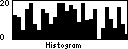
Unlike the Diagram, the Histogram displays its values in form of a vertical bar graph, but is otherwise very like the Diagram. The most important methods of the class Histogram are summarised in table 2.
|
| Method | Description |
Histogram(int x, int y, int width, int height, int min, int max, int resolution) | Creates a Histogram object at the coordinates (x, y) with the desired range of values (min, max). The parameter resolution specifies the amount of simultaneously displayed values (scaling of the time axis). |
setCaption(String captionMin, String captionMax, int captionAlign) | Adds a caption to the Histogram. Both passed Strings will be displayed at the left or right edge, according to the value of captionAlign (ALIGN_LEFT or ALIGN_RIGHT). |
setValue(int value) | Passes a new value to the Histogram, that will be inserted at the left edge. The already displayed bars will be pushed one step to the right. |
Table 2: Methods of class jcontrol.ui.vole.graph.Histogram
The program example VoleHistogramExample is organised like its pendant VoleDiagramExample and creates a Histogram with a range of values of [0..20]. An infinite loop continuously provides the Histogram with random values and thereby updates the component. In the following, the source code of the VoleHistogramExample is listed and figure 2 shows a screenshot of the example, while it's running on a JControl/Sticker.
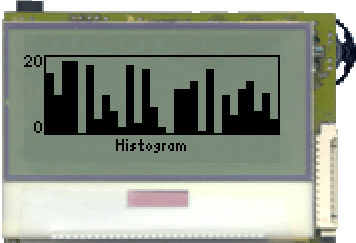
Figure 2: The VoleHistogramExample
| 1 | import jcontrol.lang.Math; |
| 2 | import jcontrol.lang.ThreadExt; |
| 3 | import jcontrol.ui.vole.Frame; |
| 4 | import jcontrol.ui.vole.Label; |
| 5 | import jcontrol.ui.vole.graph.Histogram; |
| 6 | |
| 7 | /** |
| 8 | * <p>This example demonstrates how to use the |
| 9 | * component Histogram within the GUI framework |
| 10 | * JControl/Vole.</p> |
| 11 | * |
| 12 | * <p>(C) DOMOLOGIC Home Automation GmbH 2003-2005</p> |
| 13 | */ |
| 14 | public class VoleHistogramExample extends Frame { |
| 15 | |
| 16 | /** |
| 17 | * Create a Histogram and fill it with some random values. |
| 18 | */ |
| 19 | public VoleHistogramExample() { |
| 20 | |
| 21 | // create the Histogram |
| 22 | Histogram his = new Histogram(0, 10, 128, 40, 0, 20, 30); |
| 23 | his.setCaption("0", "20", Histogram.ALIGN_LEFT); |
| 24 | add(his); |
| 25 | |
| 26 | // add a Label |
| 27 | add(new Label("Histogram", 0, 52, 128, 10, Label.ALIGN_CENTER)); |
| 28 | |
| 29 | // show the frame |
| 30 | show(); |
| 31 | |
| 32 | // generate random values and pass them to the Diagram |
| 33 | for (;;) { |
| 34 | his.setValue(Math.rnd(20)); |
| 35 | // sleep |
| 36 | try { |
| 37 | ThreadExt.sleep(500); |
| 38 | } catch (InterruptedException e) {} |
| 39 | } |
| 40 | } |
| 41 | |
| 42 | /** |
| 43 | * Create an instance of the VoleHistogramExample |
| 44 | */ |
| 45 | public static void main(String[] args) { |
| 46 | new VoleHistogramExample(); |
| 47 | } |
| 48 | } |
Listing 2: VoleHistogramExample.java


 Histogram


